Write it here, or bring the file you have.
Write in Creator Studio, import a DOCX or PDF into it, or upload a finished EPUB or print-ready PDF as-is.
- WriteStart writing in our Creator StudioStart from a blank page and write chapter by chapter.
- ImportImport your draft into our Creator StudioUpload a DOCX or PDF. We detect the structure, you review it, and then continue editing in Creator Studio.
- UploadUpload your finished manuscriptAlready finished? Upload your EPUB or print-ready PDF as-is and move on to publishing.
Three ways in
Choose the path that fits you best.
For authors starting from scratch
Write in Creator Studio
Write and organise your book from start to finish all in one place.
- Chapters, parts, and sections, all organised
- Character Studio and Cast Map to organise your characters
- PubliAgent, our optional AI writing assistant
- Cover templates and a 3D preview in the cover designer
- Real-time co-writing, automatic saving and version history
For authors with an existing manuscript
Import and keep editing
Upload your DOCX or PDF and we'll detect your chapters, then let you review everything before importing. You can then continue editing and refining your work in Creator Studio.
- DOCX
For authors with a finished, formatted book
Upload your finished book
Already formatted and ready to publish? A finished EPUB or print-ready PDF keeps its existing layout and skips Creator Studio. No need to rebuild what you've already worked hard on.
- EPUB
- Print-ready PDF
The import
Bring your Word document into Creator Studio.
We detect the structure from your document and show you exactly what we found. You review every section before import. Nothing lands in your book without your say-so.
- Detected from your headings. Heading levels become parts and chapters, based on the structure already in your document.
- You review every split. Open any section, check its first lines, and move or merge breaks before anything is imported.
- When headings aren't clear. We suggest likely split points and let you choose the ones that are real chapters.
- Images stay in place. Pictures are carried into the chapters where they appeared in your file.
- Changes are shown upfront. If something can't be preserved exactly, we tell you before you import.
If the detection looks wrong
Fix the splits in the review screen before you import: move a break, fold sections back together, or bring the whole file in as one chapter and split it later in Creator Studio.
Progress
Draft, revising, done. Progress you can see.
The unglamorous tools that get manuscripts finished.
Chapter status
Mark each chapter as Draft, Revising, or Done, and see your book's progress at a glance.
Live word count
Word count and reading time, updated as you type. No extra tools needed.
Find and replace
Rename a character or a place across the whole manuscript in one pass.
Milestones worth marking
Finish a chapter or publish your book and we'll mark the milestone in your version history. Look back anytime and see how your manuscript evolved, not just a list of timestamps.
Characters
The Studio keeps track of who is who.
Repeated names are highlighted as you write. You decide which of them belong in your cast.
- A marked name keeps track of how often it is mentioned and which chapters it appears in.
- Add it to your cast and its profile is populated with those chapters and any detected aliases.
- The Cast Map draws relationships between characters, either recorded by you or inferred from chapters that characters appear in together.
had been waiting at the harbour since first light. found her there, coat buttoned to the throat, watching a ferry that would not come. Behind them, unloaded crates and pretended not to listen.
Click a marked name to see what the Studio has on it.
Co-writing
Write together and split the earnings.
Invite your co-authors and set royalty shares before you publish.
Live co-authoring
Co-authors, editors and ghostwriters writing together in the same live document, always in sync.
Comments and suggestions
Leave feedback exactly where it belongs, inside the manuscript rather than in an email chain.
Automatic earnings splits
Set each co-author's share once. We apply it automatically after every sale.
Version history
Every draft is kept. Review what changed and restore an earlier version whenever you need to.
Formatting
Format your book for print and digital.
Whether you write in Creator Studio or import a DOCX or PDF, we format the same manuscript for digital and print.
Choose a theme and font or start with a design suggestion based on genre. See how we format your book interior.
- 20 themes across 10 genres. Choose a theme built for your kind of book, not a one-size-fits-all layout.
- 1,800+ Google Fonts. Pick the typeface that fits your book.
- Table of contents, built automatically. We generate it from your chapter structure, when you preview or publish.
Cover designer
Your cover, designed in the same place.
Design your cover without leaving your publishing workflow.
- Use a template or your own artwork. Add the title and author name, then make it yours.
- Preview every side in 3D. Rotate the book to check the front, spine and back before you publish.
- Print guides are built in. Trim, bleed and spine dimensions are calculated from your book size and page count.
 Back
 Spine
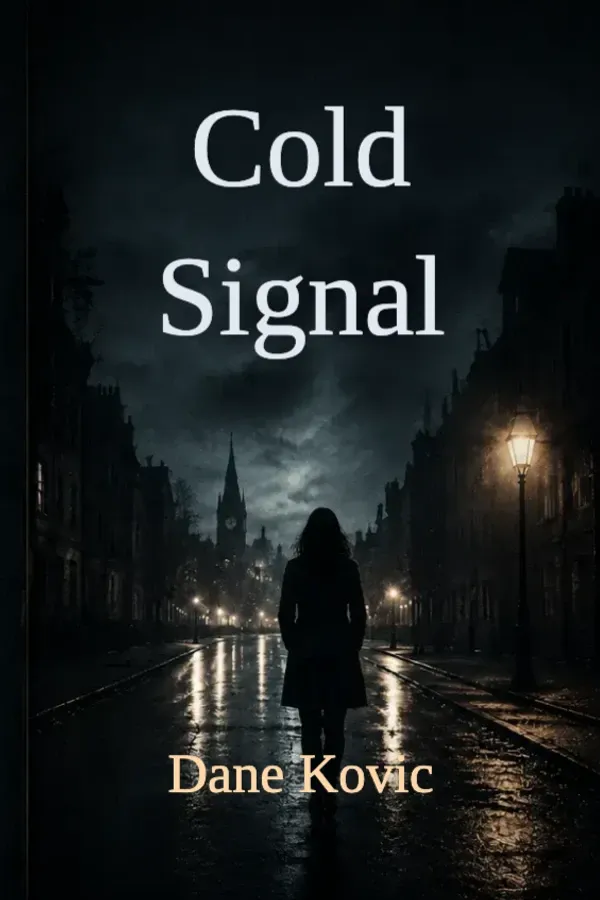 Front
Sample book: US Royal, 152 × 229 mm, 13 mm spine.
What happens next
Three steps to a published book.
Step 1
Write, import, or upload your manuscript
Write in Creator Studio, import a DOCX or PDF into it, or upload a finished EPUB or print-ready PDF as-is.
Step 2
Prepare the publishing files
For books written or imported in Creator Studio, choose the book size and we generate the digital and print files. A finished EPUB or print-ready PDF keeps its existing layout and skips Creator Studio.
See available print formatsStep 3
Available to readers
Submit each format for review. Our team reviews it within 24 hours, then the approved edition goes live on PubliRead. Add it to your Storefront and it arrives there with its cover, formats and price.
How distribution works
Common questions
Your writing and upload questions, answered.
Yes, completely. Nothing here writes for you unless you open PubliAgent and ask it to. If you never open it, no AI reads a word of your manuscript, and writing, importing, formatting, cover design and publishing all work exactly the same without it. We do not use your work to train AI models, and neither do the providers behind these features. That is a written commitment in our Privacy Policy, not a preference we could quietly change.
A DOCX or PDF can be imported into Creator Studio, where we detect your chapters and you review them before import. A finished EPUB or print-ready PDF can be uploaded as-is, which skips Creator Studio, so you cannot edit the file here afterwards. Files can be up to 50 MB, and scanned or password-protected PDFs can't be read.
Yes. Upload your DOCX, we detect chapters from your headings, and you review every section before it becomes your book. Parts and chapters keep their hierarchy. Detection reads your document's structure, not just English headings. Your images land in place too. One thing worth doing before you upload: use Word's real heading styles and its built-in table of contents. A contents page you typed out by hand looks like a stack of chapter titles to us, and each line gets read as the start of a new chapter.
You stay in control. If your headings are unusual, we show you candidate split points and you tick the ones that are real. You can also add, merge, or move breaks by hand in the same review screen. If the text itself came in wrong, the fix is to re-import the corrected document rather than to repair it in place.
Yes, and nothing about your first choice is permanent. A draft you started in Creator Studio can be replaced by a finished EPUB or print-ready PDF, and a DOCX or PDF can be imported into Creator Studio at any point. The one direction that needs a second import is a file you uploaded as-is: it stays a finished file here, so to edit it in Creator Studio you import your source document.
No, and it doesn't need to. Your table of contents is generated automatically when you preview or publish, straight from your chapter structure. You never build or maintain it by hand.
No. If you write in Creator Studio, or import your draft into it, formatting is handled for you: eBook and print, automatically. If you upload a finished PDF or EPUB, we publish it exactly as-is. None of the three paths requires design knowledge.
A print-ready PDF is one with the correct trim size, bleed, and margins already set, exported from a tool such as Affinity Publisher or Adobe InDesign. If you do not have one, write or import your draft in Creator Studio and we will prepare the publishing files.
The manuscript owner sets each co-author's share before publishing. For a paid book, the shares must add up to 100%, and only co-authors can hold one. Our share comes off first. After each sale, we credit every co-author's share to their own pending balance automatically. A live split cannot be changed through self-service. To see what each of you would keep, run the numbers in the royalty calculator.
Up to 3 on the Free plan, up to 5 on Author Plus, and up to 15 on Authorpreneur. The cap is per manuscript, and it counts everyone you invite: co-authors, editors and reviewers alike. Your collaborators don't need their own paid plan to join yours. Compare all plans.
You decide what level of access each collaborator has. Only the owner can invite people, change someone else's role, manage the earnings split, or start publishing.
Other features
Once the words are in, here's what happens to them.
Spot people in your writing, keep their profiles together and see how your cast connects.
Choose from 20 themes and 1,800+ Google Fonts, then preview digital and print editions from the same manuscript.
Start from a template or your own artwork, then preview the front, spine and back in 3D. Print guides are built in.
Give all your books a home, whether you publish with us or elsewhere, with a newsletter that keeps readers coming back for the next one.
Bring the manuscript you have.
Write in Creator Studio, import a DOCX or PDF to keep editing, or upload a finished EPUB or print-ready PDF without changing its layout.
- Three manuscript paths
- Free to start